I Said You'd Stop Uploading Broker Files. This Week You Can.


Two weeks ago I closed a post with a line I wrote fast so I wouldn't have to think about it too hard: the honest end state for uploading broker export files is that you stop uploading broker export files.
Then I had to go and build it.
Your broker can fill in the portfolio itself now
There's a Connect broker tile on the portfolio page. It talks to Interactive Brokers, and because a long list of European brokers are IBKR wearing a different logo, it talks to them too: LYNX, CapTrader, ESTABLY, MEXEM, BANX, FXFlat, Promisioo, AGORA direct, FinoBroker, WH SelfInvest. If your broker's login screen has always felt oddly familiar, that's why, and this works for you.
The part I care about most is that it cannot trade. Not "we promise not to". The only credential MFFT ever holds is a Flex Web Service token, which is a reporting credential and nothing else: it opens two read-only endpoints that hand back a report you configured yourself. No password, no API key, no permission I could tick wrong at two in the morning. That's why IBKR went first rather than the broker with the nicest documentation, and every provider after it has to clear the same bar.
Setup is a wizard that tells you what gets stored and what MFFT never sees before it asks you for anything at all. After that it syncs quietly when you sign in, again overnight, and there's a Sync now button for when you don't feel like waiting. Each account tile carries a status dot, so a failed sync says so instead of leaving you looking at stale numbers you think are fresh. Disconnecting deletes the credential and leaves your holdings exactly where they are.
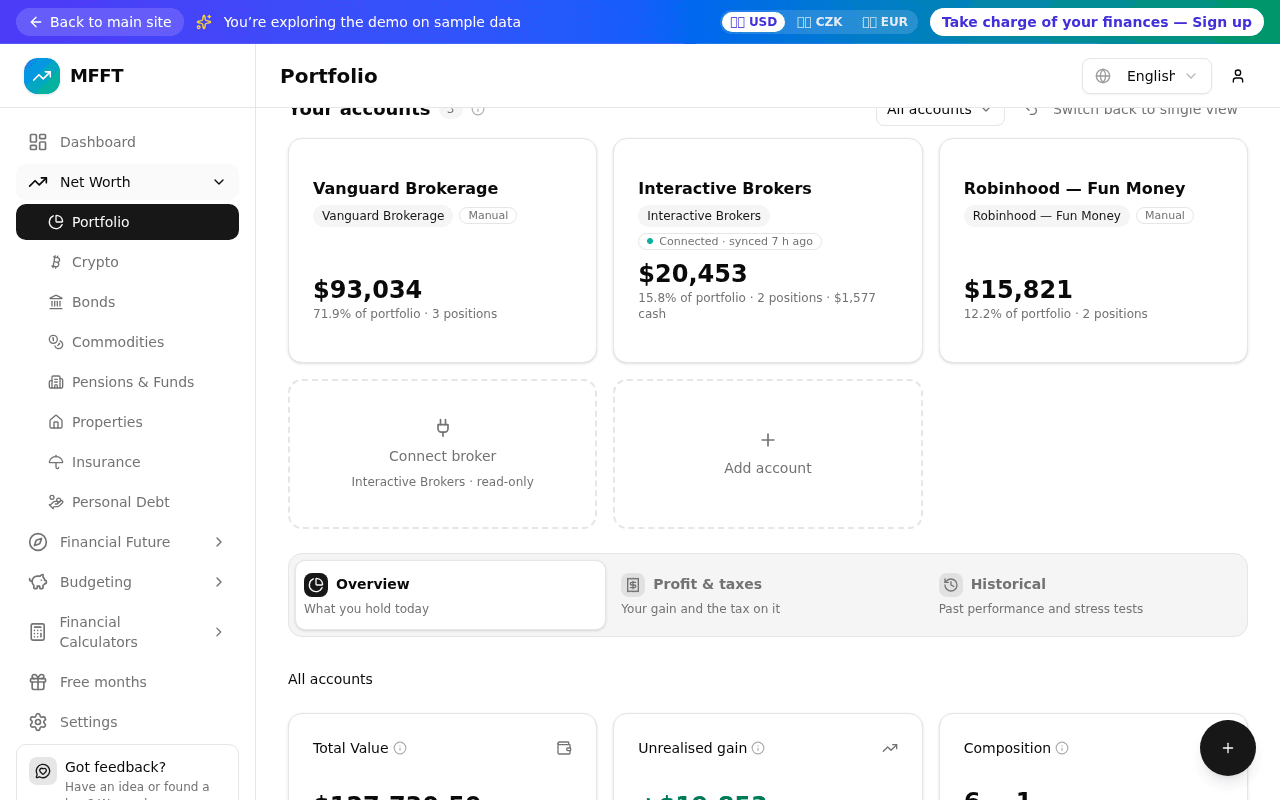
Poke at it without an account in the live demo.
The cash sitting at your broker is money too
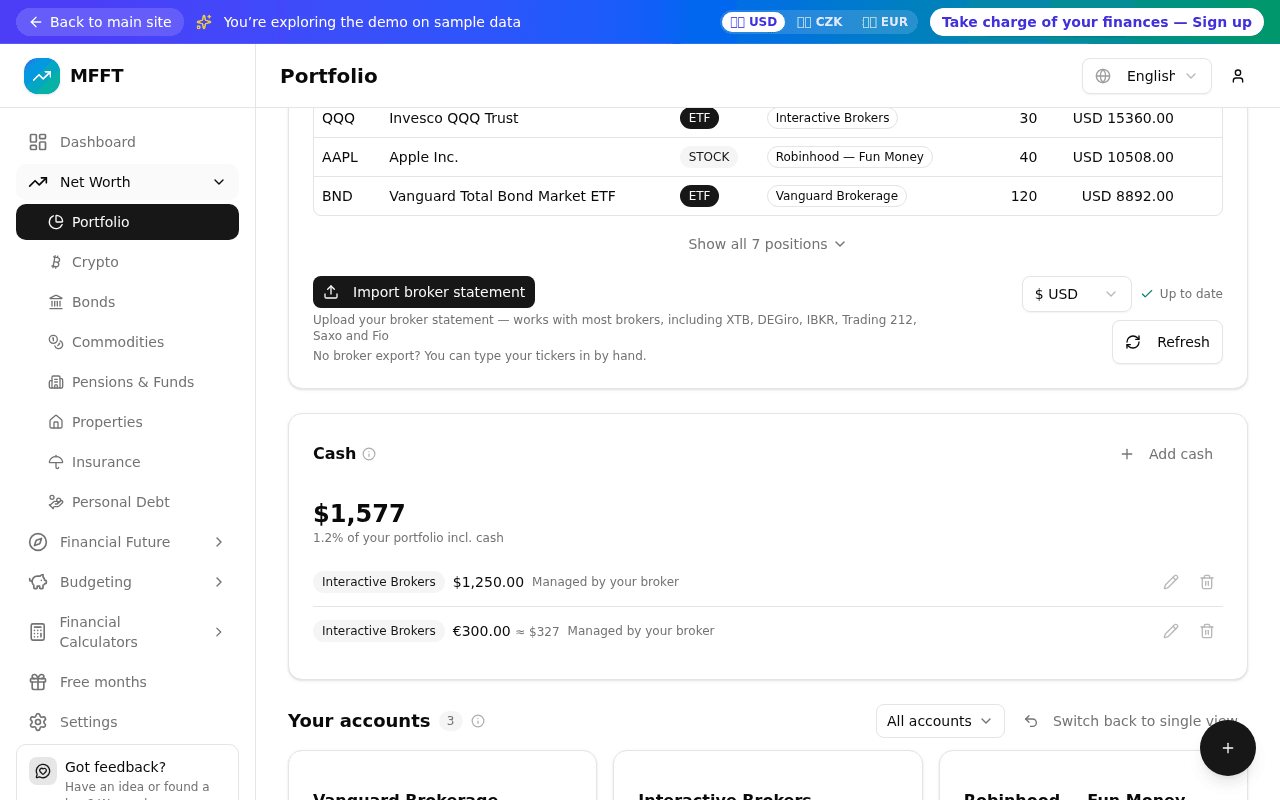
Most people leave a bit of uninvested cash at their broker. Until this week MFFT had nowhere to put it, so you either left it out of your net worth or typed it into a manual savings account where it quietly went stale and told the portfolio page nothing.
There's a Cash card under your positions now. Add a balance, optionally per investment account, in any of the app's 25 currencies, and it flows into net worth as cash like anything else.
Two things a user email fixed
Someone wrote in that his bond ETFs were missing and couldn't be added: BINC, JPIE, TOTL, JMUB, VOHIX. Five tickers, and neither cause was about those five. The Bonds page kept a holding only if it appeared on a hand-written list of 26 bond ETFs I'd typed out once, and separately, mutual funds weren't findable anywhere in the app because both search providers threw them away. A fund is called a bond fund now because its own published asset split says more than half of it is bonds. Not because I recognised the name.
Another reader pointed out that "Where your wealth sits" labelled a whole slice Pensions when it also held bank mutual funds, and folded manually tracked investment accounts in with stocks and ETFs, hiding how the live portfolio actually moved. Funds and investments is its own class now, and a pension pot holding both gets split by proportion instead of shoved under whichever label was closest.
The number that looked the most confident was the least true
Here's the one that stung. An Australian ETF called IVV.AX holds the American IVV. Ask MFFT what was inside it and you got back one holding, "IVV", at 99.97%, graded as a complete look-through. The most confident answer the tool could produce, and the emptiest. It sees through the wrapper properly now, into actual S&P 500 companies, and the same goes for the other feeder funds I checked.
Worse than the bug: "full coverage" had never meant full. It meant the fetch worked. Fund providers usually publish a top ten, so a perfectly successful lookup routinely accounts for a quarter of a fund, and the badge said full anyway. It now requires 80% of the fund to be genuinely accounted for, and every fund tells you what share of it MFFT can actually see.
I deleted a pile of guessing code two weeks ago and thought I'd learned the lesson. Turns out the guess had moved somewhere less obvious, into a label about my own confidence.
The rest of it
Typing a ticker without an exchange suffix picks the listing you meant now. VAS gets you Vanguard Australian Shares instead of a US penny stock that merely starts with the same three letters, and VDHG gets you the ASX line rather than a cross-listing that can only see one holding underneath. Toronto listings work too.
There's a Profit and taxes tab, off by default, that answers "how much did I actually make" and shows which lots sit where under Czech, German or US rules. It's an early version, so treat its numbers as a conversation starter with your accountant.
MFFT also prices 957 funds across 15 countries now, up from 879. Brazil arrived whole rather than fund by fund, because the regulator publishes the entire market in one file every month.
Bank connections are still next, and yes, I've written that sentence before. After that: budgeting gets the same rebuild the portfolio just had, and there's an Android app I keep circling.
Now if you'll excuse me, I have a broker export file to not upload.
Stay Updated
Get notified about new articles and MFFT build-in-public updates.
Ready to Apply This?
Start tracking your finances today and put these tips into practice.
- Import bank statements in seconds
- AI-powered categorization
- Beautiful visualizations
- Set and track financial goals
Related posts
 Build In Public
I Deleted the Code That Guessed What's Inside Your Funds
I built a look-through that shows what your pension and bank funds actually hold, then deleted the half of it that was guessing. Plus insurance as a real net-worth asset, and a net worth page that finally answers whether you're diversified.
 Build In Public
MFFT Now Costs Money. Writing That Sentence Was the Hard Part.
MFFT started charging this week. The billing code took an afternoon; the paragraph explaining the price took four days. Plus settings going from eight tabs to four, a delete button that never worked for Google accounts, and 132 more funds.
 Build In Public
Someone Emailed: My Fee Numbers Were Wrong. He Was Right.
A user emailed to say MFFT's fund fees looked wrong. He was right: a hand-maintained list I never taught to expire. Plus everything else that shipped this week.
 Build In Public
My First Podcast: The MoneyPenny TL;DR
I went on MoneyPenny, the Hospodářské noviny investing podcast. The TL;DR: how it happened, what we covered, and how nervous I actually was.