YNAB Alternatives That Are Actually Free (2026 Guide)

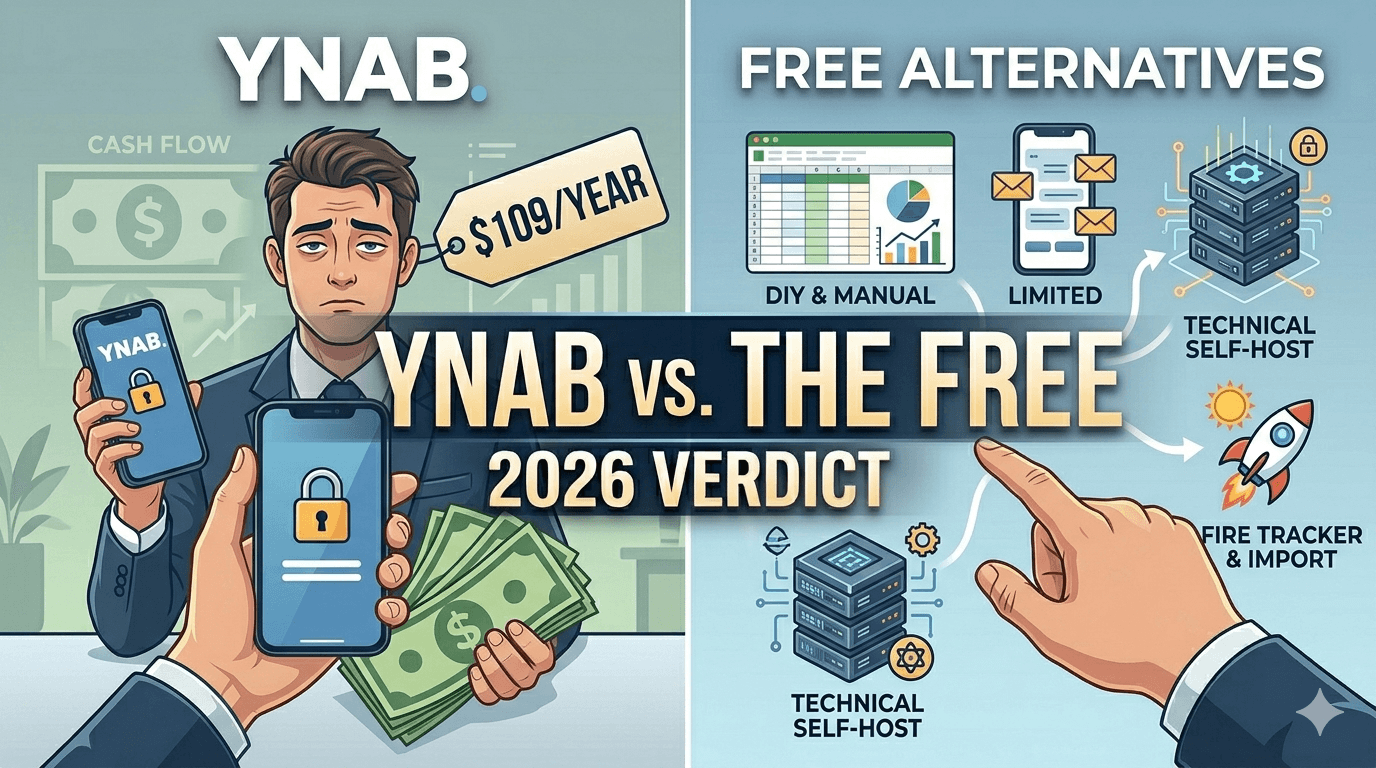
TL;DR: YNAB costs $109/year or $14.99/month in 2026, with no free tier beyond a 34-day trial. If you want budgeting without the subscription: EveryDollar's free tier and Goodbudget's free plan are genuinely free (manual entry), Actual Budget is free open-source if you self-host, and a spreadsheet is free forever. My own tool, My Financial Freedom Tracker, is manual-first with statement import and FIRE planning — €4.99 a month, the one paid option in this list. Every option has a catch; they're all listed below.
I get why people love YNAB. The zero-based method — give every dollar a job before you spend it — genuinely changes behavior. I also get why people leave: the price has climbed from the $60 one-time YNAB 4 era to a $50/year subscription, then $84, then $99, and now $109/year. That's a recurring bill for what is, mechanically, a ledger with strong opinions.
So here's the question this article answers honestly: what can you get for free in 2026, and what's the catch on each one?
Prices verified September 3, 2026 against the sources linked below.
What you're actually paying YNAB for
Three things, mostly:
- The method, enforced. Zero-based envelope budgeting with rollover handling that makes overspending visible immediately.
- Automatic bank sync plus solid mobile apps.
- Sharing: YNAB Together covers up to six people on one subscription.
Every free alternative below drops at least one of these. That's the honest frame — "free" means trading something.
The actually-free list (with every catch)
1. EveryDollar — free tier, zero-based, manual
Ramsey Solutions' budgeting app has a free version you can use as long as you want: monthly zero-based budgets, unlimited categories, manual transaction entry, sinking funds.
The catch: bank sync is paywalled. Premium costs $79.99/year (or $17.99/month) — at which point you're most of the way back to YNAB money. Free EveryDollar means typing in transactions yourself.
2. Goodbudget — free envelope budgeting, deliberately limited
The digital envelope classic. The free plan gives you 10 regular envelopes + 10 "more" envelopes, 1 account, 2 devices, and a year of history.
The catch: the envelope cap is tight for a detailed budget, and there's no bank sync at all on free — Premium ($10/month or $80/year) adds US-only bank sync and unlimited envelopes. Free Goodbudget is manual entry by design.
3. Actual Budget — free open-source, the technical pick
Actual is the alternative YNAB's most technical users reach for first: a genuinely free, open-source envelope-budgeting app ("you can only budget cash you have on hand"). It's local-first, fast, and private. It even has bank sync via goCardless (EU/UK) and SimpleFIN (US/Canada).
The catch: you host it yourself. Running the sync server is a self-host project (Docker, a NAS, or a few dollars a month on a managed host like PikaPods). If "deploy a container" isn't in your vocabulary, this isn't your pick.
4. A spreadsheet — free forever, zero features included
The most underrated YNAB alternative is a sheet with twelve monthly columns. Free, private, infinitely customizable, works offline, can never raise prices or shut down.
The catch: every feature is your job — categorization, reports, discipline. If you want transactions to flow in automatically, Tiller does spreadsheet automation well, but it's $99/year — automation is exactly the thing that never seems to be free.
5. Empower — free, but it's a tracker, not a budgeter
Empower's dashboard is completely free with real bank sync — and if what you actually need is net worth and investment tracking, it's excellent. I compared it against Monarch in detail here.
The catch: it doesn't do zero-based budgeting — spending tracking is a side feature — and the free dashboard is a lead generator for a 0.89%/year advisory service, with sales calls once you link roughly $100K (NerdWallet has the fee table).
6. My Financial Freedom Tracker — manual-first (and mine)
Disclosure first: I build this one. My Financial Freedom Tracker is manual-first and built for a different question than YNAB: not just "where does my money go?" but "when can I stop working?" You upload bank statements (no account linking), it auto-categorizes and learns your patterns, and it combines budgets with net worth tracking and a FIRE date calculator.
The catch — stated as plainly as the others: no automatic bank sync (statement import is the workflow), no native mobile apps (responsive web only), single-user today, and it's not a strict zero-based envelope system — if YNAB's method is what you love, EveryDollar or Actual replicate it more faithfully. And on price: it's €4.99 a month, €49.90 a year, or €299 once for lifetime access — a small subscription that keeps it running and your data private, never sold — so it's not free like EveryDollar's tier or a spreadsheet (though founding members, everyone who signed up before paid plans launched, got their first year on us).
Comparison table: free YNAB alternatives in 2026
| App | Truly free tier? | Method | Bank sync on free? | The catch |
|---|---|---|---|---|
| YNAB (baseline) | ✗ — $109/yr after 34-day trial | Zero-based envelopes | ✓ (paid) | The price |
| EveryDollar | ✓ | Zero-based | ✗ ($79.99/yr premium) | Manual entry on free |
| Goodbudget | ✓ | Envelopes | ✗ ($80/yr premium, US only) | 10-envelope cap |
| Actual Budget | ✓ (open source) | Zero-based envelopes | ✓ (via SimpleFIN/goCardless) | You self-host it |
| Spreadsheet | ✓ | Whatever you build | ✗ (Tiller = $99/yr) | Everything is DIY |
| Empower | ✓ | Tracking, not budgeting | ✓ | Advisory upsell calls |
| MFFT (my tool) | ✗ — €4.99/mo | Category budgets + FIRE planning | ✗ — statement import instead | No sync, no mobile app, web-only |
No row sweeps the board. YNAB still has the best enforced method with sync and sharing — that's what $109 buys.
Which free YNAB alternative should you pick?
- You want YNAB's method, free, and don't mind typing: EveryDollar free tier or Goodbudget.
- You're technical and want the closest free YNAB clone: Actual Budget, self-hosted.
- You want maximum control and zero dependencies: a spreadsheet.
- You mostly wanted the net worth / investments picture anyway: Empower (vs Monarch here) — or, if you won't link accounts, see my roundup of net worth trackers that don't connect to your bank.
- You want budgeting + net worth + a FIRE date in one tool and statement import sounds fine: that's the exact niche I built MFFT for (€4.99 a month, or a cheaper annual/lifetime plan — or try the free demo first, no signup needed).
And if you're brand new to budgeting, start with the method, not the app: how to start a budget covers the 10-minutes-a-month system that works in any of these tools.
Frequently Asked Questions
Is there a completely free version of YNAB?
No. YNAB offers a 34-day free trial (no credit card required), then costs $109/year or $14.99/month — there is no permanent free tier. The closest free equivalents of its zero-based method are EveryDollar's free tier, Goodbudget's free plan, and the open-source Actual Budget.
What is the best free alternative to YNAB in 2026?
For YNAB's zero-based method: EveryDollar (free tier, manual entry) or Actual Budget (free open-source, self-hosted, with optional bank sync). For envelope budgeting: Goodbudget's free plan. For tracking net worth and investments instead: Empower's free dashboard. If a small paid subscription is fine, My Financial Freedom Tracker (my own product) adds net worth tracking and FIRE projections with statement import instead of bank sync, for €4.99 a month (or a cheaper annual/lifetime plan).
Is Actual Budget really free?
Yes — Actual Budget is open-source software, free to use and self-host, with envelope budgeting and optional bank sync via SimpleFIN (US/Canada) and goCardless (EU/UK). The practical cost is hosting: either run it yourself (free on your own hardware) or pay a few dollars a month for managed hosting such as PikaPods.
Why is YNAB so expensive now?
YNAB has raised prices repeatedly: the old YNAB 4 was a $60 one-time purchase; the subscription launched at $50/year, then rose to $84, $99, and now $109/year (2026). The company's defense is that the method pays for itself if you actually work it — which is true for engaged users, but the price is still the most common reason people look for alternatives.
Do any free budgeting apps include automatic bank sync?
Very few — sync costs money to provide. Empower's free dashboard includes real bank sync (its business model is advisory upsell instead). Actual Budget can sync via SimpleFIN/goCardless if you self-host. Rocket Money's free tier includes basic sync too. Every other option in this guide is manual entry or statement import on the free tier.
What's next?
- The full field, head-to-head: YNAB vs Monarch vs Rocket Money vs Mint
- Just want the verdict on the two big trackers? Empower vs Monarch Money
- Questions? Email me at dennis.vymer@myfinancialfreedomtracker.com.
Frequently asked questions
- Is there a completely free version of YNAB?
- No. YNAB offers a 34-day free trial (no credit card required), then costs $109/year or $14.99/month — there is no permanent free tier. The closest free equivalents of its zero-based method are EveryDollar's free tier, Goodbudget's free plan, and the open-source Actual Budget.
- What is the best free alternative to YNAB in 2026?
- For YNAB's zero-based method: EveryDollar (free tier, manual entry) or Actual Budget (free open-source, self-hosted, with optional bank sync). For envelope budgeting: Goodbudget's free plan. For tracking net worth and investments instead: Empower's free dashboard. If a small paid subscription is fine, My Financial Freedom Tracker (my own product) adds net worth tracking and FIRE projections with statement import instead of bank sync, for €4.99 a month (or a cheaper annual/lifetime plan).
- Is Actual Budget really free?
- Yes — Actual Budget is open-source software, free to use and self-host, with envelope budgeting and optional bank sync via SimpleFIN (US/Canada) and goCardless (EU/UK). The practical cost is hosting: either run it yourself (free on your own hardware) or pay a few dollars a month for managed hosting such as PikaPods.
- Why is YNAB so expensive now?
- YNAB has raised prices repeatedly: the old YNAB 4 was a $60 one-time purchase; the subscription launched at $50/year, then rose to $84, $99, and now $109/year (2026). The company's defense is that the method pays for itself if you actually work it — which is true for engaged users, but the price is still the most common reason people look for alternatives.
- Do any free budgeting apps include automatic bank sync?
- Very few — sync costs money to provide. Empower's free dashboard includes real bank sync (its business model is advisory upsell instead). Actual Budget can sync via SimpleFIN/goCardless if you self-host. Rocket Money's free tier includes basic account linking too. Every other option in this guide is manual entry or statement import on the free tier.
Stay Updated
Get notified about new articles and MFFT build-in-public updates.
Ready to Apply This?
Start tracking your finances today and put these tips into practice.
- Import bank statements in seconds
- AI-powered categorization
- Beautiful visualizations
- Set and track financial goals
Related posts
 Start Here
FIRE Is Not an Escape Hatch. In 2026 That Is Exactly How Most People Are Using It.
Quits are at a decade low, global engagement is 20%, and FIRE is quietly absorbing everyone who won't walk through an open door. I like my job and still save half. Here's why an escape-shaped plan builds a worse portfolio than the same numbers.
 Start Here
Healthspan vs Lifespan: My FIRE Plan Funds Me to 90 and Assumes a Body It Never Modeled
My projection argues about returns to a tenth of a percent and has no field for the body spending the money. At 65 in the EU you get 20 years, 9.4 of them healthy. Here's what healthspan vs lifespan does to a FIRE plan, and what a protected health line actually costs.
 Start Here
How Much Money Do I Need to Retire? The 25x Answer
You need about 25x your annual spending: $60,000 a year means $1.5M. The full table, where 25x comes from, and the age and pension adjustments.
 Start Here
What Is Barista FIRE? Meaning, Math, and Your Number
Barista FIRE: part-time work covers the gap while your portfolio compounds. The formula, a worked example, the healthcare catch, and your number.
 Start Here
Safe Withdrawal Rate 2026: Is the 4% Rule Still Right?
Morningstar says the safe withdrawal rate in 2026 is 3.9%; the 4% rule's inventor now says 4.7-5.5%. Here's why both are right, and how to find your number.